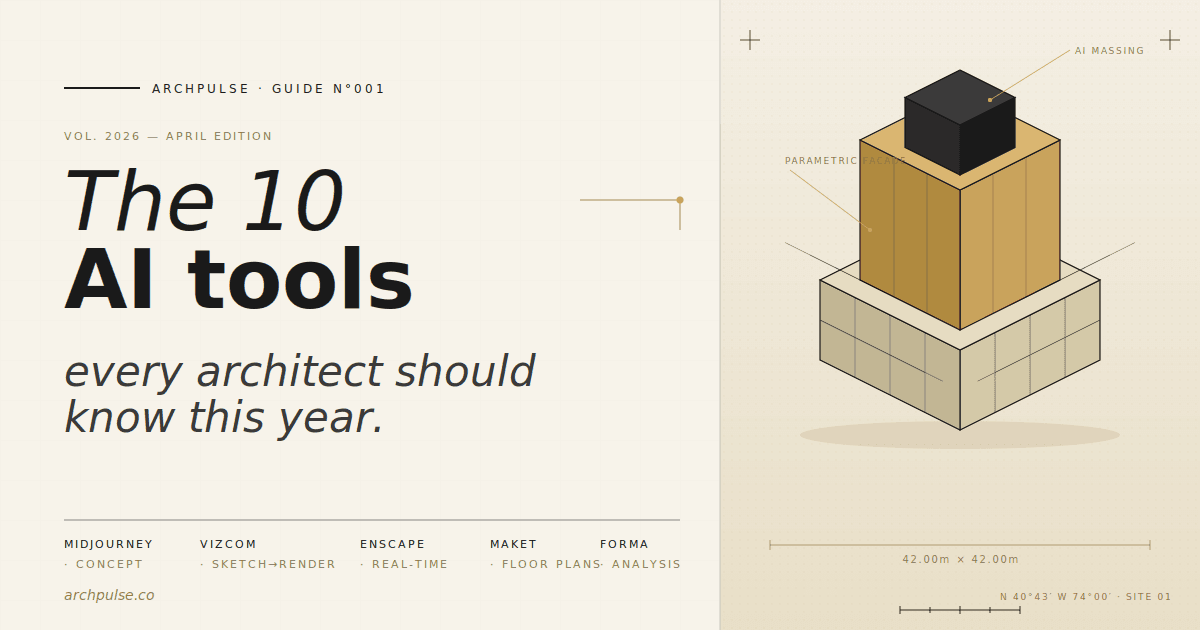
10 Best AI Tools for Architects in 2026 — Complete Guide
The 10 AI tools every architect should know in 2026; from Midjourney and Vizcom for concept visualization to Maket and TestFit for floor plans, Enscape for rendering, and Autodesk Forma for early design. Honest picks tested across rendering, floor plans, BIM, and site analysis.
ArchPulse12 min readUpdated April 24, 2026
#ai tools, architecture, midjourney, vizcom, enscape, maket, testfit, autodesk forma, architectural ai, ai rendering
The best AI tools for architects in 2026 are Midjourney for concept art and moodboards, Vizcom for turning hand sketches into photorealistic renders, Enscape for real-time rendering from Revit or SketchUp, and Maket.ai for generating floor plans from text prompts. For early-stage design and site analysis, Autodesk Forma leads the category, while Adobe Firefly handles commercial-safe texture and background generation. Choose tools based on your workflow stage: concept (Midjourney, Vizcom), schematic design (Maket, TestFit, Forma), and production rendering (Enscape, Lumion).
Three years ago, AI in architecture meant experimental plugins and academic research. In 2026, it's a mainstream part of the practice stack. Architects use AI across every phase of design — from generating early massing options in seconds, to drafting floor plan variations, to producing client-ready renders from a rough sketch.
The shift isn't about replacing designers. It's about compressing the parts of the workflow that never added design value — redrawing the same layout six ways, waiting overnight for a render to finish, or hand-painting context buildings into a presentation. AI handles those. You focus on the decisions that actually require an architect.
This guide ranks the 10 tools we consider non-negotiable for a modern practice in 2026. Each one was selected for a specific reason: it either does something no other tool does, or it does the standard thing dramatically faster or cheaper. Where relevant, we've linked to our full reviews and comparisons.
Comparison table of the 10 best AI tools for architects in 2026, showing tool name, category, best use case, pricing, and free tier availability. Midjourney, Vizcom, Enscape, Maket.ai, TestFit, Autodesk Forma, Adobe Firefly, ChatGPT/Claude, Lumion, and Polycam compared across visualization, rendering, floor plans, feasibility, site analysis, image generation, writing, and reality capture categories.
Midjourney v6 produces the highest-quality aesthetic output of any AI image generator available right now. For architects, that matters most at the earliest stages — concept moodboards, facade studies, atmospheric client presentations, competition boards.
The trick to using it professionally is prompt engineering: specify camera lens (35mm, wide angle), lighting (golden hour, overcast diffused), materiality (raw concrete, weathered corten), and reference architects (Tadao Ando, SANAA, Zaha Hadid). The “--ar" flag sets aspect ratio; ”--style raw" pushes toward photographic realism; “--cref" keeps a consistent design language across multiple renders.
Use it for: Concept imagery, moodboards, facade exploration, competition boards Don't use it for: Accurate plans, section views, construction documentation — Midjourney has no concept of geometry
Vizcom is a sketch-first AI render tool. Upload a hand drawing or marker sketch, describe the materiality and mood, and Vizcom produces a photorealistic render while preserving your composition. This is the opposite of Midjourney — you control the geometry; the AI handles the finish.
For schematic design and early client meetings, Vizcom has become the fastest way to move from napkin sketch to presentable visual. It's not a replacement for Enscape or Lumion (which render from actual 3D models), but a complementary tool for the ideation phase.
Use it for: Schematic renders from sketches, fast client iterations, interior concept exploration Don't use it for: Final presentation renders, anything requiring dimensional accuracy
Enscape lives inside Revit, SketchUp, Rhino, Archicad, and Vectorworks as a plugin — you keep modeling, Enscape renders in real time in a second window. No export, no round-trip, no waiting. For firms already on Revit or SketchUp, it's the lowest-friction rendering tool available.
The 2026 version added AI-assisted materials, sky matching from a reference photo, and smarter asset library search. It still can't match Lumion for cinematic output, but for day-to-day client reviews and iteration, nothing else comes close.
Use it for: Design reviews, client walkthroughs, fast iteration during modeling Don't use it for: Hero shots where every pixel has to be perfect — Lumion or V-Ray still win there
Maket.ai generates residential floor plans from text prompts or constraint inputs. Describe the program — three bedrooms, two baths, 2,400 sq ft, lot width 50 ft — and Maket produces dozens of layout variations in seconds, each editable in the browser.
The real win isn't the generation; it's the exploration. Instead of committing to one layout in Revit and then rebuilding when the client changes their mind, Maket lets you browse 20 options in the time it would take to draft one. You pick a direction, then formalize it in your BIM tool.
Use it for: Residential schematic layouts, rapid client iteration, lot feasibility studies Don't use it for: Multi-family or commercial — TestFit handles those better
Category: Floor plans & feasibility Pricing: Custom enterprise pricing (contact sales) Free tier: No — demo available Link:Tool page
TestFit is purpose-built for multi-family, mixed-use, and commercial feasibility. Upload a site, input zoning constraints and unit mix targets, and TestFit generates fully resolved building layouts with parking, circulation, and pro forma outputs in minutes.
This isn't a design tool — it's a feasibility tool. Developers use it pre-contract to determine whether a site works; architects use it during schematic design to verify program fit. The pro forma integration (rentable area, parking ratios, construction cost estimates) makes it the fastest way to pitch a developer client.
Use it for: Multi-family, mixed-use, commercial feasibility, zoning studies Don't use it for: Single-family residential or anything where aesthetics matter more than program
Category: Site analysis & early design Pricing: Included in AEC Collection ($2,945/yr) or standalone Free tier: 30-day trial Link:Tool page
Forma (the rebranded Spacemaker) is Autodesk's cloud-based early-stage design platform. It runs daylight, wind, noise, and operational energy analysis in seconds on massing models you sketch directly in the browser — analysis that would take an engineer days in traditional software.
For practices that win work on sustainability or performance claims, Forma pays for itself on the first project. The massing tools are simple by design; the power is in the instant feedback loop between geometry and environmental analysis.
Use it for: Site selection, early massing studies, sustainability claims, zoning envelope analysis Don't use it for: Detailed design — Forma is deliberately kept at concept resolution
Category: Image & texture generation Pricing: Included with Creative Cloud ($60/mo) or standalone $10/mo Free tier: Yes (25 generative credits/mo) Link:Tool page
Firefly's main advantage is what's under the hood: it's trained exclusively on licensed and public-domain content, which means outputs are safe for commercial client deliverables. Generative Fill in Photoshop extends render backgrounds, adds context buildings, replaces skies, populates scenes with people. Generative Expand fills in cropped renders.
For firms already in Creative Cloud, Firefly is effectively free — and it eliminates the legal gray area that Midjourney and Stable Diffusion sit in for commercial work.
Use it for: Extending rendering backgrounds, adding entourage, texture generation, presentation graphics Don't use it for: Generating buildings from scratch — Firefly is a post-production tool, not a concept generator
Category: Writing & research Pricing: ChatGPT Plus $20/mo · Claude Pro $20/mo Free tier: Yes (both have free tiers)
Not an architectural tool strictly, but the highest-leverage AI most architects aren't using enough. Design statements, project descriptions, material specifications, client proposals, grant applications, competition narratives — all take hours manually and minutes with a good prompt.
The trick is to feed the model your drawings, precedent references, and rough notes first, then ask it to write in your voice. Architects consistently report 3-5x time savings on narrative-heavy deliverables.
Use it for: Design statements, project narratives, RFP responses, spec drafting Don't use it for: Anything technical where hallucination risk matters — always verify code citations and material specs
Category: Rendering Pricing: Standard $1,999 (perpetual) → Pro $3,399 Free tier: 14-day trial · Student licenses free Link:Compare Enscape vs Lumion · Tool page
Where Enscape wins on iteration, Lumion wins on output. Its asset library, weather system, and cinematic animation tools produce the hero shots that go in the press release. The 2026 release added AI-assisted landscape population and smart sky matching, both of which materially cut the time to final render.
Lumion isn't for day-to-day design reviews — it's for the end of the project when you need the one image or walkthrough that sells the scheme.
Use it for: Competition boards, hero shots, client presentations, marketing animations Don't use it for: Real-time design iteration — use Enscape instead
Polycam turns an iPhone or iPad Pro into a site scanner. Walk through an existing building, scan the space in 10 minutes, and export a measured 3D model to Revit, Rhino, or SketchUp. For renovation, adaptive reuse, and as-built documentation, it's replaced traditional measured surveys on most small-to-medium projects.
The LiDAR scanner on recent iPhones produces models accurate enough for schematic design and most documentation needs. For construction-grade accuracy you still need professional scanning, but for 95% of architectural use cases, Polycam is good enough and dramatically faster.
Use it for: As-built surveys, renovation documentation, site context capture, interior measurement Don't use it for: Construction-grade accuracy, exterior elevations beyond 20m
Don't try to adopt all ten at once. A realistic rollout for a small or solo practice looks like this:
Month 1 — Concept stage tools. Start with Midjourney ($10/mo) and Vizcom free tier. These produce immediate visible output and have almost no learning curve. You'll use them on every project from day one.
Month 2 — Writing and research. Add ChatGPT or Claude Pro ($20/mo). The ROI is obvious within two weeks once you use it for a design statement or proposal.
Month 3 — Rendering. Pick one: Enscape if you're on Revit/SketchUp and need iteration speed, Lumion if you're producing hero imagery for competitions and marketing. Don't buy both initially.
Month 4+ — Specialty tools. Add Maket or TestFit based on your project type, Forma if sustainability analysis is part of your pitch, Polycam if you do a lot of renovation.
The total cost for a complete 2026 AI stack runs $150-250/month for a solo practitioner — less than one consultant hour per project. For a mid-sized firm, it's a rounding error on any project budget.
Not every "AI for architecture" tool is worth your time. Specifically:
"One-click building generators" that promise full designs from a text prompt — the output looks impressive in marketing demos but is unusable for real projects
Revit AI plugins that only do one narrow task — most are better replaced by a prompt to ChatGPT or a macro
AI interior design apps marketed at homeowners — the architectural equivalent is Interior AI or Vizcom at the Pro tier; consumer apps don't produce client-ready output
Anything that charges per-render when a subscription alternative exists — the economics never work out for professional use
When evaluating a new AI tool, ask two questions: does it integrate with software I already use, and does it produce output I can actually put in front of a client? If the answer to both isn't clearly yes, skip it.
There isn't one best tool — there's a best tool per workflow stage. For concept work, Midjourney is unmatched. For sketch-to-render, Vizcom. For rendering from a BIM model, Enscape (iteration) or Lumion (final output). For floor plans, Maket (residential) or TestFit (multi-family). Architects in 2026 typically use 3-5 AI tools across a single project, not one.
No — but architects who use AI tools will replace architects who don't. AI compresses the production side of the practice (drafting, rendering, writing) but doesn't touch the parts that define architecture: site analysis, client relationships, code interpretation, design judgment, construction administration. The practices winning in 2026 use AI to spend less time on production and more time on those higher-value decisions.
Vizcom's free tier (10 renders/month at 720p) is the most useful entry point — you can produce publishable schematic renders without paying. Maket.ai's free tier covers basic floor plan generation. Adobe Firefly is effectively free if you already subscribe to Creative Cloud. ChatGPT's free tier handles design statements and research. Combined, these four free tools cover 70% of the AI use cases in a typical project.
Enscape is the clear winner for Revit users — it runs as a live plugin, updates in real time as you model, and requires no export step. Lumion provides higher-quality output but requires exporting the Revit model and rebuilding materials. For most Revit-based practices, Enscape as the daily driver + Lumion for final hero shots is the standard combination.
Partially. Maket.ai and TestFit both include zoning and basic code compliance checks, but the compliance layer is still surface-level — they'll catch obvious setback and use violations but miss jurisdictional nuances. Treat AI-generated plans as a starting point for schematic design, then verify code compliance manually or with a code consultant before schematic design development.
A complete AI stack for a solo architect runs $150-250/month: Midjourney ($10-30), ChatGPT or Claude ($20), Enscape ($65), Vizcom Pro ($29), and optional Maket ($25) or Polycam ($20). For a firm of 3-5, expect $500-800/month total. Every firm we've spoken to reports positive ROI within the first project, primarily through time saved on rendering and schematic iteration.
Enscape and Lumion both have native SketchUp integration. Vizcom accepts SketchUp export screenshots for sketch-to-render workflows. Polycam exports directly to SketchUp-compatible formats. Midjourney and Firefly work alongside any modeling software — they produce reference imagery you use in SketchUp's material and texture workflow. For a SketchUp-centric practice, Enscape + Midjourney + Vizcom is the minimum viable AI stack.
AI in architecture has moved past the hype cycle. The tools in this guide are ones we actively use or recommend — they produce real results on real projects, they integrate with real workflows, and they cost what a reasonable practice can afford.
Start with Midjourney and Vizcom free this week. Add rendering and writing tools next month. By the end of the quarter, AI will be as much a part of your practice as Revit or SketchUp — and the only question you'll have is how you worked before it.
The AI tools worth an architect's time in 2026, sorted by what they actually do — floor plans, rendering, BIM, and interior design. Honest picks, real pricing, and where each one stops being useful.